
Your iPhone battery is one of the most important parts of your device. It affects how long you can use your phone, how fast apps run, and how well your phone performs overall. Over time, batteries wear out. You might not notice it at first, but eventually, problems start to show. Some signs are obvious, like your phone dying quickly. Others are less obvious, like the device heating up while charging. Ignoring battery problems can cause more issues, including sudden shutdowns or poor performance. Knowing the warning signs early can save you time, frustration, and money. If your battery is failing, you can get help from local professionals. Services like Electronics repair services in Aventura, FL can replace your battery safely and get your phone back to normal. Here’s what to look for.
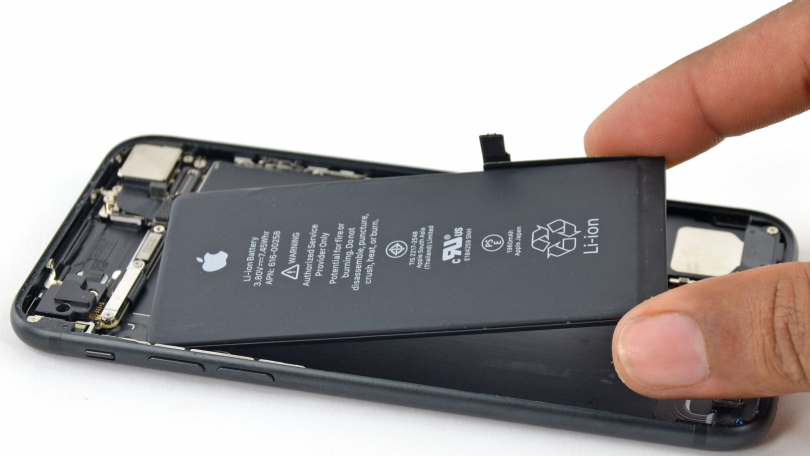
1. Rapid Battery Drain
One of the first signs your battery is failing is fast draining. You might notice your iPhone loses 10% or more in an hour even if you aren’t using it much. Older batteries hold less charge, and apps that used to run fine might now drain your battery quickly. If your phone goes from 100% to 50% in a short time, it’s a clear warning. This can affect your daily routine, especially if you rely on your phone for work or communication.
- Check battery usage in Settings > Battery.
- Look for apps using an unusually high percentage of power.
- If usage seems normal but your battery still drains fast, replacement is likely needed.
2. Sudden Shutdowns
Your iPhone might shut down even when it shows some battery left. For example, your phone might say 30% charge but turn off suddenly. This happens because the battery can’t provide stable voltage. Sudden shutdowns can cause you to lose work, unsaved messages, or other data. Older iPhones are more prone to this problem. If you notice random shutdowns often, it’s a clear sign the battery is worn out.
3. Slow Charging or Not Charging
Another common sign is when your iPhone charges slowly or not at all. If it takes hours to reach full charge or keeps stopping at certain percentages, the battery may be failing. Sometimes, this is caused by charging cables or adapters, but if you’ve tried multiple chargers, the problem is likely the battery itself.
- Try using original Apple cables.
- Check for debris in the charging port.
- If charging problems persist, battery replacement is necessary.
4. Overheating
Batteries that are worn out can overheat during use or charging. Your iPhone should get slightly warm during heavy use, but extreme heat is a problem. Overheating can shorten the battery life further and damage other components. If your phone feels hot even when idle or during light tasks, it’s time to consider replacing the battery.
5. Swollen Battery
A swollen battery is a serious sign. It can cause the screen to lift or the case to bulge. This is dangerous and can even lead to leaks or fire in extreme cases. If you notice your iPhone casing is not sitting flush, or the screen seems warped, stop using it immediately. Take it to a professional for replacement. Do not try to remove the battery yourself.
6. Reduced Maximum Capacity
iPhones have a feature to show battery health. Go to Settings > Battery > Battery Health. The “Maximum Capacity” percentage shows how much charge your battery can hold compared to when it was new. If it is below 80%, your battery is degraded. At this point, you may notice shorter battery life and reduced performance. This is a clear sign a replacement is needed soon.
7. Unexpected Performance Issues
A worn-out battery can cause your iPhone to slow down. Apple sometimes limits performance to prevent sudden shutdowns. You might notice apps taking longer to open, animations stuttering, or general lag. If your phone feels slower than usual without any updates or changes, the battery could be the cause.
- Check Settings > Battery > Battery Health.
- If “Peak Performance Capability” is limited, battery replacement will restore normal speed.
8. Apps Crashing or Freezing
Sometimes battery issues affect software performance. Apps may crash or freeze unexpectedly. You might notice this happens when your battery level is low. A failing battery may not provide consistent power, which can cause the system to behave strangely. If multiple apps crash frequently, it could be time for a battery replacement.
9. Charging Percentage Jumps
Your battery percentage should decrease steadily as you use the phone. If it jumps from 50% to 30% in seconds or fluctuates randomly, it indicates your battery is unstable. This can make it hard to predict how long your phone will last during the day. This symptom often appears before other signs like rapid drain or sudden shutdowns.
10. Long-Term Battery Age
Even if you don’t notice issues yet, iPhone batteries naturally degrade over time. Most last 2–3 years before performance drops significantly. If your phone is older than this, it’s wise to monitor its battery closely. Replacement before failure can prevent sudden problems.
- Check Battery Health regularly.
- Consider professional replacement if maximum capacity is declining fast.
How to Handle a Failing Battery
If you see one or more of these signs, it’s best to act quickly. Continuing to use a failing battery can cause performance problems and, in some cases, safety risks. Replacement is usually straightforward. You can go to Apple stores or local services. For example, iPhone Repair Services in West Hialeah, FL can handle battery replacement safely and professionally.
- Backup your phone before replacement.
- Use original parts when possible.
- Avoid DIY replacement unless you are experienced.
Tips to Maintain Battery Health
Even with a new battery, proper care can extend its life.
- Avoid extreme temperatures.
- Don’t keep your iPhone plugged in at 100% for long periods.
- Use optimized battery charging in Settings > Battery > Battery Health.
- Reduce background app activity.
Conclusion
A failing iPhone battery affects both performance and safety. Rapid drain, sudden shutdowns, slow charging, overheating, and swelling are clear signs. Monitoring battery health regularly helps prevent unexpected problems. If your battery is old or showing these warning signs, get it replaced by professionals. Using trusted services ensures your phone stays safe and reliable. Don’t ignore these signs—replacing your battery can make your iPhone work like new again and save you from future problems.
Leave a Reply